

- You are here:
- Home »
- GIS Software »
- “FlexiPRINT START Software” (Print) ***FREE Shipping***
“FlexiPRINT START Software” (Print) ***FREE Shipping***
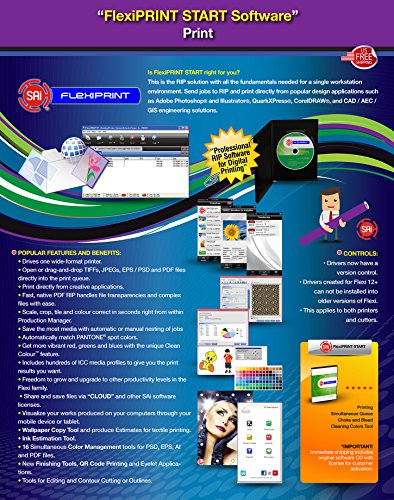
POPULAR FEATURES AND BENEFITS: • Drives one wide-format printer • Open or drag-and-drop TIFFs, JPEGs, EPS / PSD and PDF files directly into the print queue • Print directly from creative applications • Fast, native PDF RIP handles file transparencies and complex files with ease • Scale, crop, tile and colour correct in seconds right from within Production Manager • Save the most media with automatic or manual nesting of jobs • Automatically match PANTONE® spot colors • Get more vibrant red, greens and blues with the unique Clean ColourTM feature • Includes hundreds of ICC media profiles to give you the print results you want • Freedom to grow and upgrade to other productivity levels in the Flexi family • Share and save files via “CLOUD” and other SAi software licenses • Visualize your works produced on your computers through your mobile device or tablet • Wallpaper Copy Tool and produce Estimates for textile printing • Ink Estimation Tool. • 16 Simultaneous Color Management tools for PSD, EPS, AI and PDF files • New Finishing Tools, QR Code Printing and Eyelet Applications • Tools for Editing and Contour Cutting or Outlines. IMPORTANT: Immediate shipping includes original software CD with license for customer activation.
Product Features
- Is FlexiPRINT START right for you? This is the RIP solution with all the fundamentals needed for a single workstation environment. Send jobs to RIP and print directly from popular design applications suchas Adobe Photoshop® and Illustrator®, QuarkXPress®, CorelDRAW®, and CAD / AEC /GIS engineering solutions.
- The next generation of print and sign making software is here!
- Easily manage artwork changes and approvals using the Artwork Approval Tool. Save up to 50% media on print-&-cut jobs with Contour Cut Shape Nesting. Speed up cutting with the Cut Order tool by manually selection the pattern in which design objects are cut.
- Save time with Banner & Canvas Finishing tools for grommet and stich marks, folds, and bleeds. Use QR, Data Matrix and bar codes along with the Auto Serialization Tool to easily create a series of variable-data print jobs.
- Reduce production errors by previewing cut paths with the Animated Cut Viewer. Get smoother printed gradients using the Stochastic 2 dot pattern.
Session expired
Please log in again. The login page will open in a new tab. After logging in you can close it and return to this page.